Guest Article: This article was written by Emmanuel Sibanda and is published here with permission from the author. Find Emmanuel on LinkedIn or at emmanuelsibanda.com.
It’s 9 AM Monday. Your GizmoSQL server has been humming along all weekend. Nobody ran a query since Friday afternoon — and yet memory is sitting at 80%, and the first analyst to open a dashboard gets a stall.
Nothing is wrong with your queries. What’s wrong is that the queries left, but the connections didn’t.
Why idle connections are a problem
GizmoSQL puts DuckDB on the network so many clients can share a single server process. That’s the whole point: you run one process, size it once, and everyone connects to it.
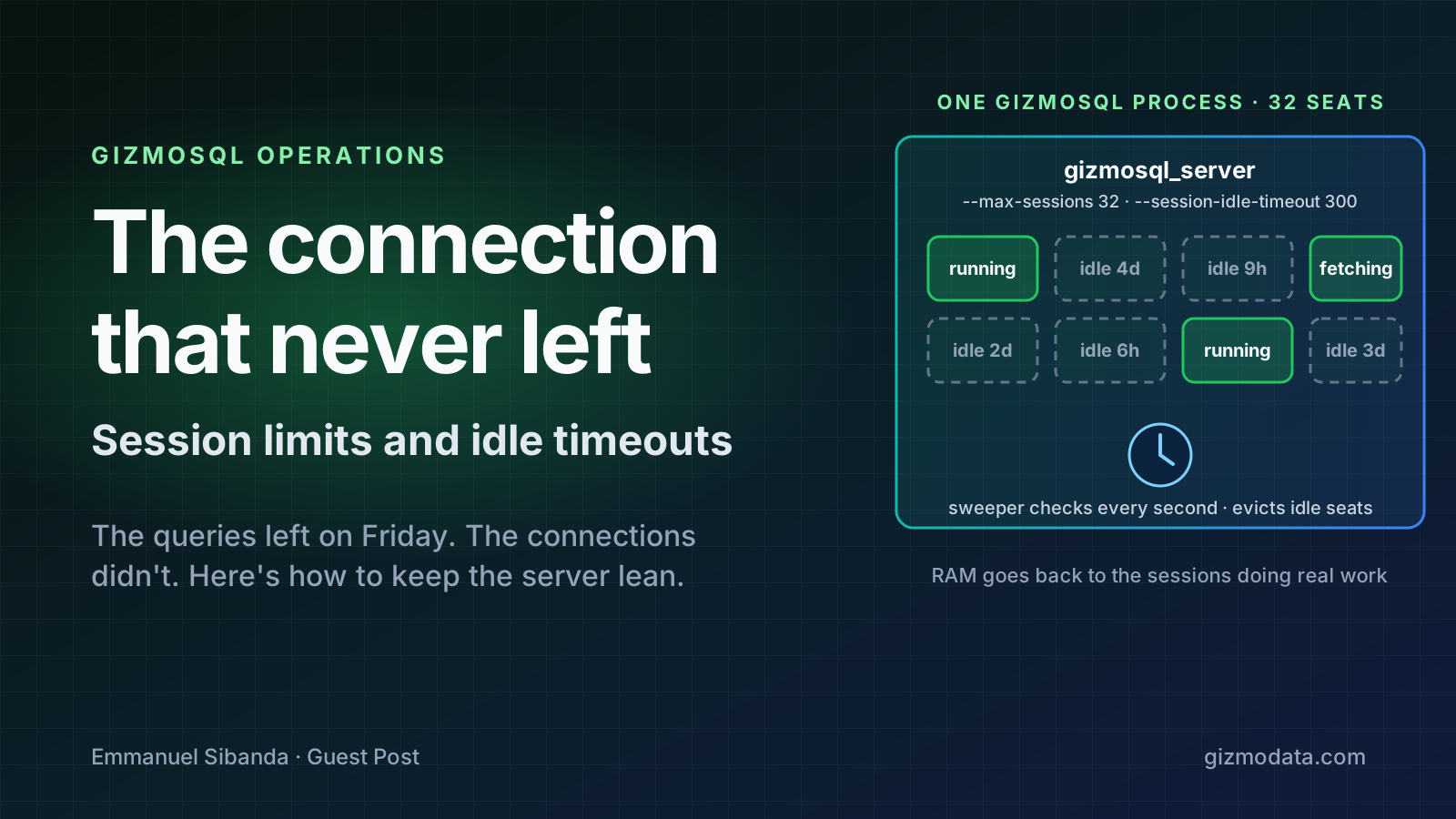
But every client connection becomes a session, and every session holds its own DuckDB connection — which means every session holds RAM on that one process for as long as it exists. A DBeaver tab someone forgot to close on Thursday. A connection pool that pings every 30 seconds but never runs SQL. A notebook kernel that’s been “connected” for a week. Each one is quietly holding a seat, and the process only has so many to give.
Left alone, that growth is uncapped. Enough idle sessions and the process stalls — or dies, taking every active connection down with it.
Two features fix this. One puts a ceiling on how many sessions can exist; the other evicts the ones that have gone quiet.
Step 1: Cap the number of sessions
--max-sessions sets a hard limit on non-admin sessions, so you can size the server to your architecture instead of hoping nobody opens too many tabs.
CLI:
GIZMOSQL_PASSWORD="gizmosql_password" gizmosql_server \
  --database-filename lakehouse.db \
  --max-sessions 32
Environment variable:
export GIZMOSQL_MAX_SESSIONS=32
GIZMOSQL_PASSWORD="gizmosql_password" gizmosql_server \
  --database-filename lakehouse.db
Admin sessions are exempt from this cap, so you can always get in to investigate — even when the server is full.
Step 2: Evict the sessions that stopped working
A cap alone isn’t enough. A client can hold one of your 32 seats indefinitely without running a single statement. That’s the Thursday DBeaver tab problem: the RAM is allocated, and it’s allocated to nothing.
--session-idle-timeout puts a clock on inactivity. If a session goes that many seconds without doing real work, the server closes it, drops the DuckDB connection, and hands the RAM back to the sessions that actually need it.
CLI:
GIZMOSQL_PASSWORD="gizmosql_password" gizmosql_server \
  --database-filename lakehouse.db \
  --session-idle-timeout 300
Environment variable:
export GIZMOSQL_SESSION_IDLE_TIMEOUT=300
GIZMOSQL_PASSWORD="gizmosql_password" gizmosql_server \
  --database-filename lakehouse.db
What counts as “idle”? (This is the part that matters.)
The obvious way to build an idle timer is to reset it whenever the server finishes a query. We deliberately didn’t do that, because it would be wrong in an important way.
A query isn’t done when the server is done. It’s done when the client has the rows.
A big SELECT can finish computing in seconds and then stream results for minutes. If only computation counted as work, a naive timer would evict the session mid-download — and a query the user already ran successfully would suddenly fail. So in GizmoSQL, every batch of result rows the client pulls counts as part of the same user SQL. The idle clock doesn’t start until the download stops.
Concretely, these reset the idle clock:
- Running a statement
- Preparing a statement
- Ingesting data
- Fetching result rows for a statement
And these do not:
- Simply holding a session open
- An open DBeaver (or any IDE) window with nothing running
- A connection pool that only sends keepalive pings
- Metadata and internal catalog lookups
Those sessions still occupy a seat and still hold their RAM. They just don’t get to extend their lease. Only real user SQL keeps a session alive past the timeout.
Under the hood
While --session-idle-timeout is greater than zero, the server runs a background check once a second. For each session it asks two questions: Is user SQL still running or streaming? and Has the timeout elapsed since the last user-SQL timestamp? A session that’s idle past the limit is closed exactly the way a normal client disconnect would be.
A few things worth knowing before you turn this on:
- Admins are not exempt. Unlike
--max-sessions, the idle timeout applies to theadminrole too. If you leave an admin session open and walk away, it can be evicted like any other. - Clients see a clear error, not a hang. After eviction, the client’s next request fails with Flight
UNAUTHENTICATEDand the message “Session not found — it may have been evicted. Please re-connect.” Reconnecting is the fix. - Uncommitted work is rolled back. Closing the session drops the DuckDB connection, and any transaction that was started but not committed is undone with it.
- It’s off by default. Nothing changes until you set it.
Putting it together
For most deployments, the pairing is straightforward: set --max-sessions to what your process can comfortably hold, and set --session-idle-timeout somewhere between a few minutes and an hour depending on how chatty your clients are. Interactive BI tools tend to want a longer window; batch jobs and pooled services can live with a short one.
The result is a server that stays the size you sized it — Monday morning included.
About the author: Emmanuel Sibanda wrote this guest post for the GizmoData blog.
From the GizmoData team: Both flags shipped in GizmoSQL v1.36.0 and work in Core (Apache-2.0) and Enterprise. Their current values are visible on a live server with SELECT * FROM gizmosql_settings(); see the settings reference and the full server flag table. To try them, install GizmoSQL Core, or talk to us about sizing a production deployment.