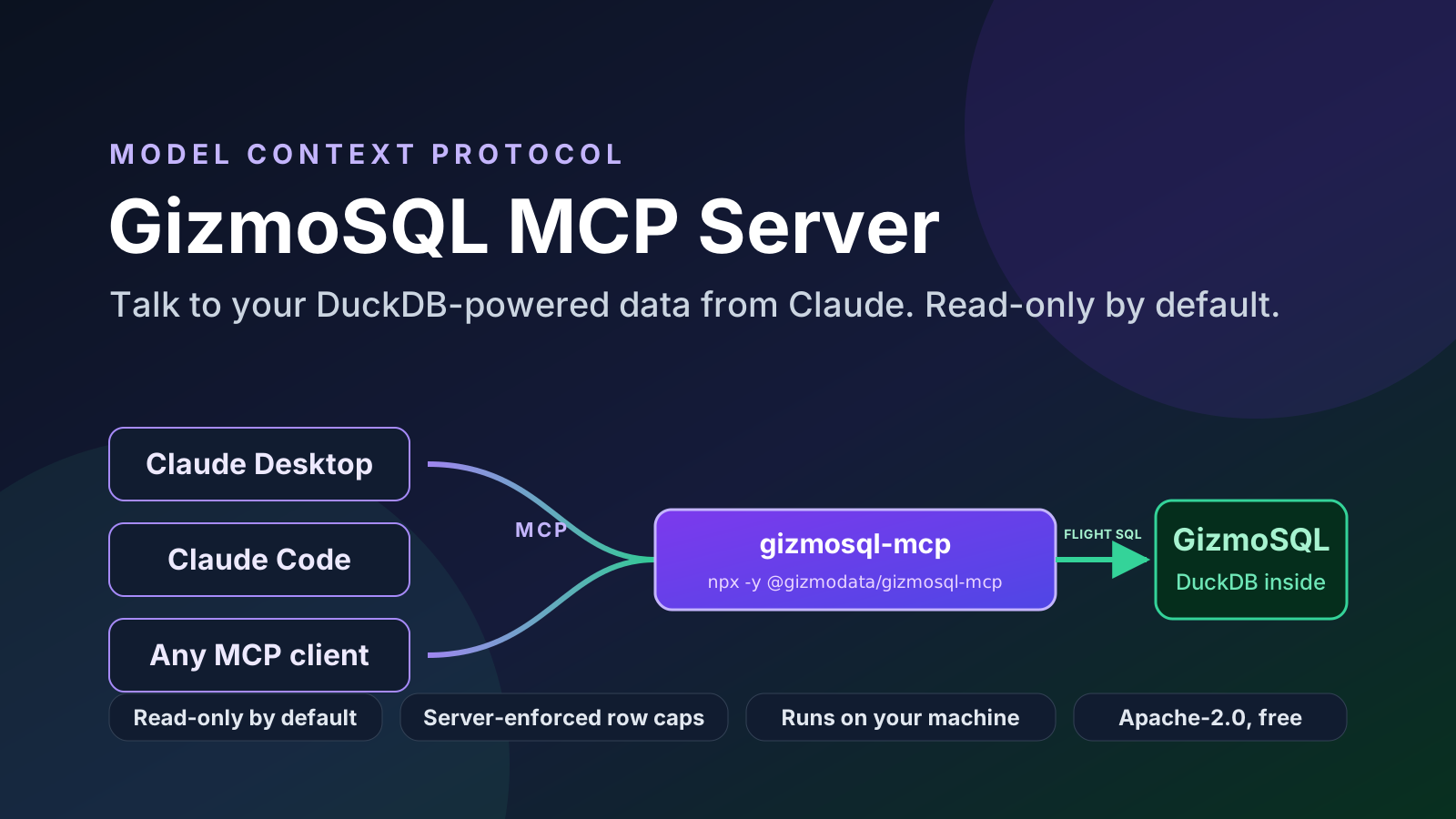
Yesterday we shipped gizmosql-mcp: a Model Context Protocol server and Claude Desktop extension for GizmoSQL, the Apache Arrow Flight SQL server built on DuckDB. Install it, point it at a GizmoSQL server you can reach from your laptop, and Claude can explore the schema, write the SQL, run it, and read the answer back to you.
It is free and open source (Apache-2.0), it works with Claude Desktop, Claude Code, and any other MCP client, and it was designed from the first commit around one question: what does it take to safely point an LLM at a real database?
Why an MCP server for GizmoSQL?
A lot of the value of GizmoSQL is that it makes DuckDB a shared, concurrent, authenticated server instead of an in-process library. That is exactly the shape AI assistants need. An agent should not be copying Parquet files around or opening a DuckDB file that another process holds a lock on; it should connect to a server, with credentials, and run queries like any other client.
MCP is the standard way to hand an assistant a set of tools. So the natural thing to build was an MCP server whose tools are "look at the schema" and "run this query," speaking Arrow Flight SQL to GizmoSQL underneath. Now a conversation like this just works:
"Which tables in the sales schema have a
customer_idcolumn, and how are they related? Then show me revenue by region for the last four quarters."
Claude calls list_tables, describe_table a few times, writes the joins, calls run_query, and formats the result. You never leave the chat.
What Claude gets
The toolset is deliberately small:
- Schema exploration:
list_catalogs,list_schemas,list_tables(with aLIKEfilter), anddescribe_table, which returns columns, types, nullability, constraints, and an estimated row count.use_schemasets the session's default catalog and schema so unqualified table names resolve. - Querying:
run_queryreturns a Markdown table plus structured JSON, capped atmax_rows.explain_queryreturns DuckDB'sEXPLAINplan without executing anything. - Introspection:
server_inforeports the GizmoSQL and DuckDB versions, the redacted connection URI, the effective limits, and which user the server is connected as. - Multiple servers:
list_connectionsanduse_connection, and every other tool accepts an optionalconnectionargument. "Compare row counts of orders on prod and dev" is one prompt. - Opt-in extras:
execute_statement(DML/DDL) only appears when you setGIZMOSQL_ALLOW_WRITES=true, andlogin_ssoonly when you enable SSO.
There is also a resource template, gizmosql://{connection}/schema/{catalog}/{schema}/{table}, that returns a table's DDL.
Queries can be parameterised. run_query takes a params array bound to ? placeholders, and the values travel to the server as typed Arrow data, never as interpolated SQL text. Here is the call we ran against a fresh GizmoSQL v1.38.1 container while writing this post, and the exact text that came back:
{
  "sql": "SELECT ?::INTEGER AS n, version() AS duckdb",
  "params": [42],
  "max_rows": 5
}
The tool returns the rows as a Markdown table (which Claude reads directly) followed by a summary line. Rendered, the response looks like this:
Read-only by default, and why that is not the security boundary
Out of the box the server refuses anything that is not a read. A SQL guard classifies every statement and only lets SELECT, WITH … SELECT, FROM, VALUES, SHOW, DESCRIBE, SUMMARIZE, EXPLAIN, read-style PRAGMA, and USE through. CTEs that end in DML, COPY, ATTACH, INSTALL, LOAD, SET, CALL, transactions, and multi-statement input are all rejected.
A few more guarantees are enforced by the server rather than by trusting the client:
- Row cap: reads are executed as
SELECT * FROM (your query) LIMIT max_rows + 1and streamed in batches that stop at the cap (500 rows by default). Nothing is fetched whole and sliced afterwards. - Timeout: each statement gets a per-query timeout via
SET gizmosql.query_timeouton the session (60 s by default), with a client-side deadline as a backstop that cancels the statement. - Redaction: credentials never appear in tool output,
server_info, or error messages. Claude Desktop stores them in your operating-system keychain. - Locality: the server runs on your machine, talks only to the GizmoSQL host you configure, has no tools that touch the local filesystem, and collects no telemetry.
We want to be honest about what the guard is, though: defense in depth, not the boundary. The boundary is the privileges of the GizmoSQL user the server connects as. With username/password authentication every GizmoSQL session has the admin role. For anything beyond a sandbox, mint a GizmoSQL JWT with the built-in readonly role and configure username token with the JWT as the password; GizmoSQL itself will then permit only SELECT, whatever the client sends. GizmoSQL Enterprise goes further with per-catalog read/write/none permissions in the token, plus session instrumentation, so you can see exactly what the agent ran and when.
Install in a minute
Claude Desktop
Download gizmosql-mcp.mcpb, double-click it (or use Settings → Extensions → Advanced settings → Install Extension…), fill in the host, port, and credentials, and turn on GizmoSQL under the + → Connectors menu in a chat. No Node.js install is needed: the bundle runs on Claude Desktop's own runtime and includes the native GizmoSQL ADBC driver for macOS (Apple Silicon and Intel), Linux (x64 and arm64), and Windows x64.
Claude Code
claude mcp add gizmosql \
  -e GIZMOSQL_HOST=gizmosql.internal.example.com \
  -e GIZMOSQL_PORT=31337 \
  -e GIZMOSQL_USERNAME=analyst \
  -e GIZMOSQL_PASSWORD='your-password' \
  -- npx -y @gizmodata/gizmosql-mcp
Add -s user to make it available in every project. Any other MCP client that takes a stdio server definition works the same way with npx -y @gizmodata/gizmosql-mcp as the command and the GIZMOSQL_* variables in its environment.
Remote clients over Streamable HTTP
The same server can listen over Streamable HTTP for clients that connect over the network, such as a Claude.ai custom connector. Set a bearer token, put it behind TLS, and point the connector at /mcp:
GIZMOSQL_HOST=gizmosql.internal.example.com \
GIZMOSQL_USERNAME=analyst GIZMOSQL_PASSWORD='your-password' \
GIZMOSQL_MCP_BEARER_TOKEN='a-long-random-secret' \
npx -y @gizmodata/gizmosql-mcp --transport http --host 0.0.0.0 --port 3000
Try it against a demo server
No GizmoSQL server yet? This starts one with TPC-H demo tables, then registers it with Claude Code. The Docker image serves a self-signed certificate, hence GIZMOSQL_TLS_SKIP_VERIFY=true.
docker run --name gizmosql --detach --rm --tty --init \
  --publish 31337:31337 \
  --env TLS_ENABLED="1" \
  --env GIZMOSQL_USERNAME="gizmosql_user" \
  --env GIZMOSQL_PASSWORD="gizmosql_password" \
  --env INIT_SQL_COMMANDS="CALL dbgen(sf=0.01);" \
  --pull always \
  gizmodata/gizmosql:latest

claude mcp add gizmosql \
  -e GIZMOSQL_HOST=localhost \
  -e GIZMOSQL_PORT=31337 \
  -e GIZMOSQL_USERNAME=gizmosql_user \
  -e GIZMOSQL_PASSWORD=gizmosql_password \
  -e GIZMOSQL_TLS_SKIP_VERIFY=true \
  -- npx -y @gizmodata/gizmosql-mcp
Then ask Claude: "What tables are there, and which region has the most customers?"
Under the hood
Connectivity uses the official @gizmodata/gizmosql-client Node.js library (the same one behind GizmoSQL UI) and the native GizmoSQL ADBC driver. Results stay columnar all the way from DuckDB to the tool response. The extension is a single .mcpb bundle with the driver for each platform inside; the npm package downloads the driver for your platform on first install.
Because the server connects directly from your machine, private networks over VPN, SSH tunnels, and kubectl port-forward all work: just point it at localhost when you tunnel a port.
What's next
OAuth for the HTTP endpoint itself is the obvious next step for remote connectors (SSO to the GizmoSQL server already works via login_sso). We would also love to hear which prompts you find yourself using. Come tell us in the GizmoData community Slack, or open an issue on GitHub.