Hardcharger™: fast, secure, remote DuckDB
Hardcharger puts DuckDB 2.0 on the network. Clients connect over Warp SQL, an open HTTP protocol that streams Apache Arrow straight from DuckDB to your application. Access control is built into the server, a web UI is built into the binary, and every feature is included: no editions, no license keys.
- 1 TB derived from TPC-H*
- 42.4 s
- 1 TB derived from TPC-H*
- AWS on-demand cost per run*
- ~$0.09
- AWS on-demand cost per run*
- every feature included
- Apache-2.0
- every feature included
- license keys
- 0
- license keys
* Hardcharger 2.0.0 on DuckDB 2.0.0; method and caveats.
This workload is derived from the TPC-H Benchmark and is not comparable to published TPC-H Benchmark results, as this implementation does not comply with all requirements of the TPC-H Benchmark. TPC, TPC Benchmark and TPC-H are trademarks of the Transaction Processing Performance Council (TPC).


The best way to run Hardcharger
Launch a managed Hardcharger server in one click on AWS, Google Cloud or Azure. GizmoData Cloud runs it for you, with open lakehouse storage, a browser SQL editor, SSO and an audit trail, from one control plane. Pay by the hour for what you run.
Why Hardcharger
One DuckDB server that many people and applications share, through ordinary drivers, with each user’s access governed by the server.
DuckDB 2.0 inside
A standalone server built on DuckDB 2.0’s v2 C API, not an extension. DuckLake, httpfs and PostgreSQL are built in, and the rest of DuckDB’s extensions install as usual.
Warp SQL on the wire
An open HTTP protocol that streams Apache Arrow from DuckDB to your application. A query and its first rows come back in one round trip; large results stream compressed, split over several connections, and resume after a dropped connection.
What is Warp SQL?Security in the protocol
Bearer tokens only, never cookies. Every session, statement and result handle is bound to the user who created it and checked on every use. Results and metadata follow that user’s grants.
Every feature included
No editions and no license keys. Everything that was GizmoSQL Enterprise (SSO, instrumentation, metrics, statement queueing, KILL SESSION, fine-grained access) is in every Hardcharger build, under Apache-2.0.
A 1 TB workload derived from TPC-H, in under 43 seconds
The 22 queries derived from TPC-H, at scale factor 1000, on one Graviton5 machine: 1.8× faster than the earlier GizmoSQL baseline (DuckDB 1.5.6) on the same machine type, for about 9 cents of AWS on-demand compute per run.
- GizmoSQL 1.42.0 · DuckDB 1.5.677.0 s · $0.164
- Hardcharger 2.0.0 · DuckDB 2.0.042.4 s · $0.090
Cost per full run: the run’s seconds at the machine’s AWS on-demand price; a cloud cost, not a TPC price/performance metric. Same machine type and data for every server.
This workload is derived from the TPC-H Benchmark and is not comparable to published TPC-H Benchmark results, as this implementation does not comply with all requirements of the TPC-H Benchmark. Deviations: only the 22 queries are run (no refresh functions, no power or throughput test), timed as the sum of per-query means over three runs, without an audit. TPC, TPC Benchmark and TPC-H are trademarks of the Transaction Processing Performance Council (TPC).
In ClickBench's concurrency phase, Hardcharger reached 3× the queries per second of GizmoSQL's published ClickBench entry (0.350 vs 0.117 QPS) with zero errors, on the same machine class (c6a.4xlarge); in GizmoSQL's entry, 90% of the concurrent queries failed. Hardcharger 2.0.0-rc.1 dry run (October 20, 2026), pending the GA run.
Why it's so amazingly fast
- Every result goes through an asynchronous pipeline: DuckDB keeps producing while earlier batches are compressed and encrypted.
- lz4_frame or zstd compression on a pool of threads, applied only to buffers a sample shows will shrink.
- Large results split into partitions that clients read over several connections at once, in order when the query asks for one.
- Uploads in parallel parts, inserted on all of DuckDB’s threads and committed as one transaction.
Remote fetch and load results against Arrow Flight SQL and Quack, including the tests Hardcharger loses, are on the Warp SQL page and in the full benchmark notes.
Security in the core, not bolted on
Sign-in, access control and audit are part of the server and the protocol, and every one of them is in the free build.
Sign-in your way
Passwords and tokens, token exchange, SSO with any OpenID Connect provider (OIDC/JWKS) and browser sign-in on the server’s own port, with authorized e-mail filters.
Certificates as identity
Mutual TLS where the client certificate signs the user in, no password needed (SAN e-mail, SPIFFE URI or subject CN). Tokens are bound to the certificate (RFC 8705), and CRLs are checked for every certificate in the chain.
Roles and grants
CREATE USER, CREATE ROLE, GRANT and REVOKE in SQL. Each statement is checked inside DuckDB against its own plan, so nested SQL, views and macros can’t route around a grant. Revokes reach open sessions within about a second.
Row policies and masking
Row-level policies, column masking, tenants with their own admins, per-catalog access rules and Open Policy Agent, all enforced by the server.
Grants you can query
hardcharger_grants(), hardcharger_effective_privileges() and the SQL standard’s privilege views answer “who can see this table?” in SQL, each showing only what the caller may see.
File-system guard
No statement can read, list or write the host’s credential and system files (SSH and cloud keys, DuckDB’s secrets, the server’s own TLS key), whoever runs it. The check sits in DuckDB’s file system, so it sees every path however the SQL built it.
Tamper-evident audit log
Sign-ins, refusals and administrative changes go to an audit log that shows if a record was altered or removed.
Observable
Session and statement history in a DuckDB file or PostgreSQL (tens of thousands of statements a second), a Prometheus /metrics endpoint, query profiles, hardcharger_active_connections() and KILL SESSION.
Access control in plain SQL
Keep users, roles and grants in PostgreSQL, the store every replica of a cluster shares, or in a DuckDB file for development and single-server setups. A view reads with its owner’s rights, so publishing a curated view is one GRANT.
CREATE ROLE analyst;
GRANT SELECT ON SCHEMA analytics TO analyst;              -- every table, now and later
GRANT SELECT (email, signup_ts) ON crm.users TO analyst;  -- two columns only
CREATE USER joe WITH PASSWORD '…';                        -- signs in with it
GRANT analyst TO joe;
REVOKE analyst FROM joe;                                  -- reaches joe's open sessions too
A web UI in the server binary
Turn it on with --web-ui and open /ui on the server’s own port and certificate. Nothing else to install, and nothing loads from another origin.
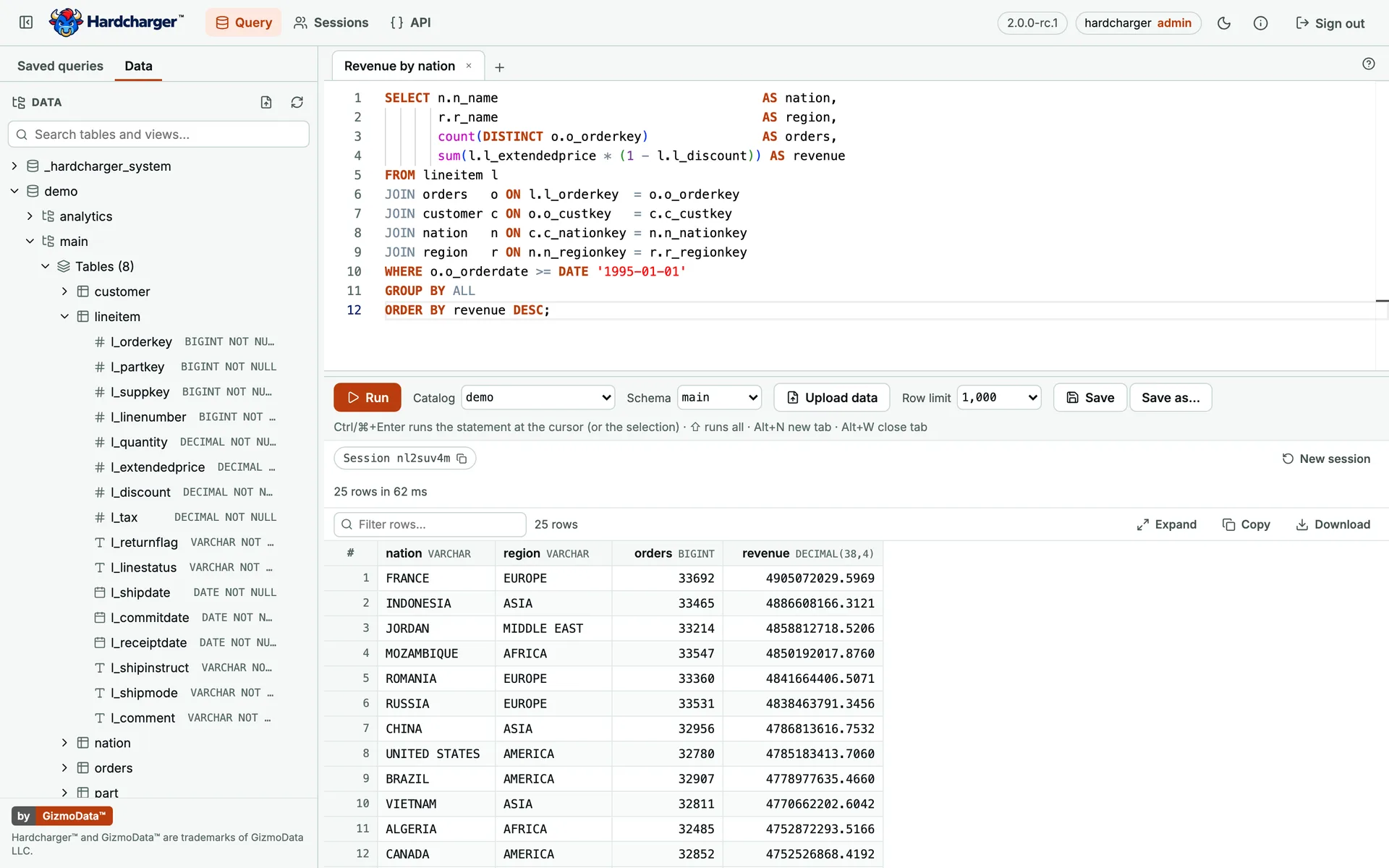
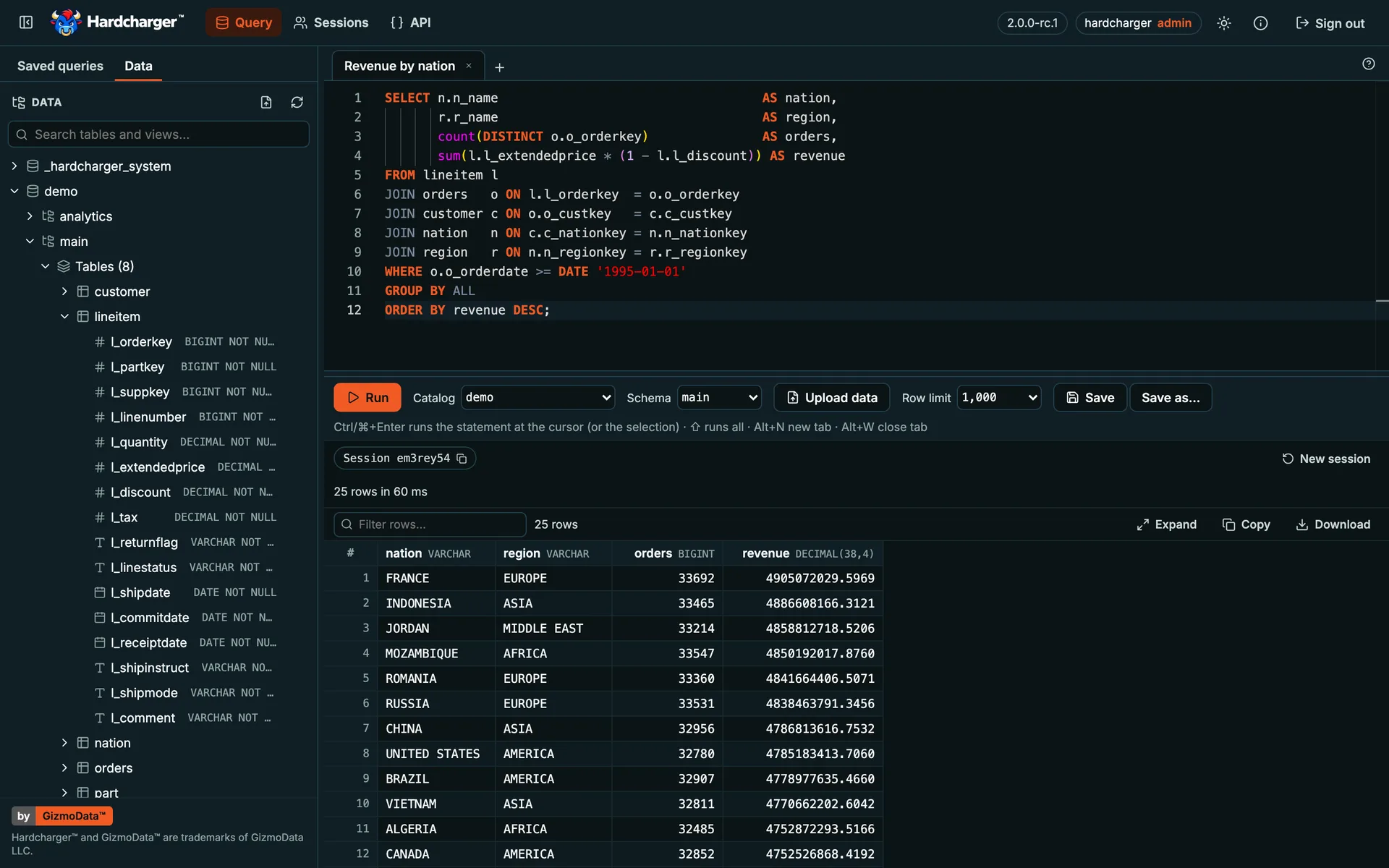
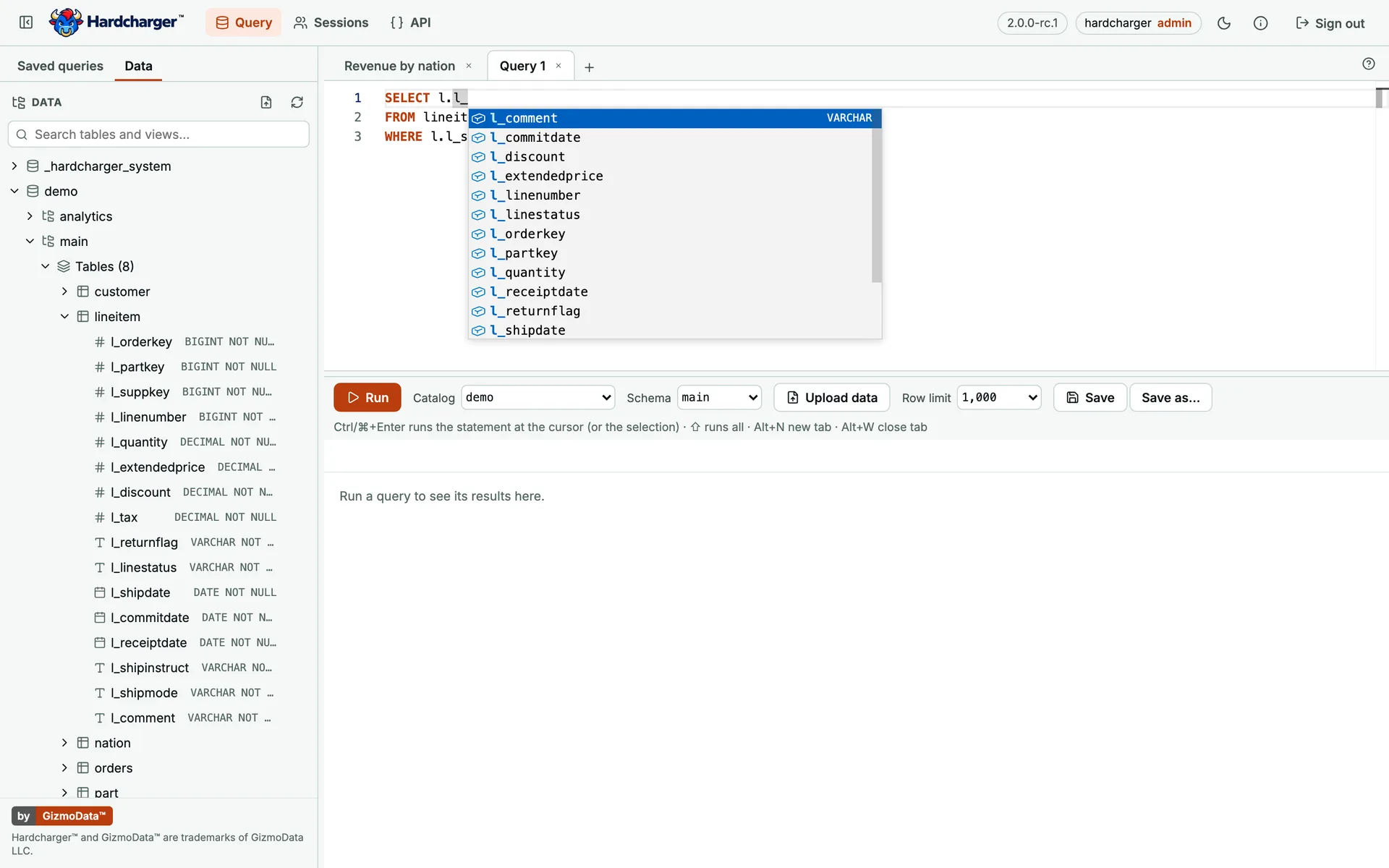
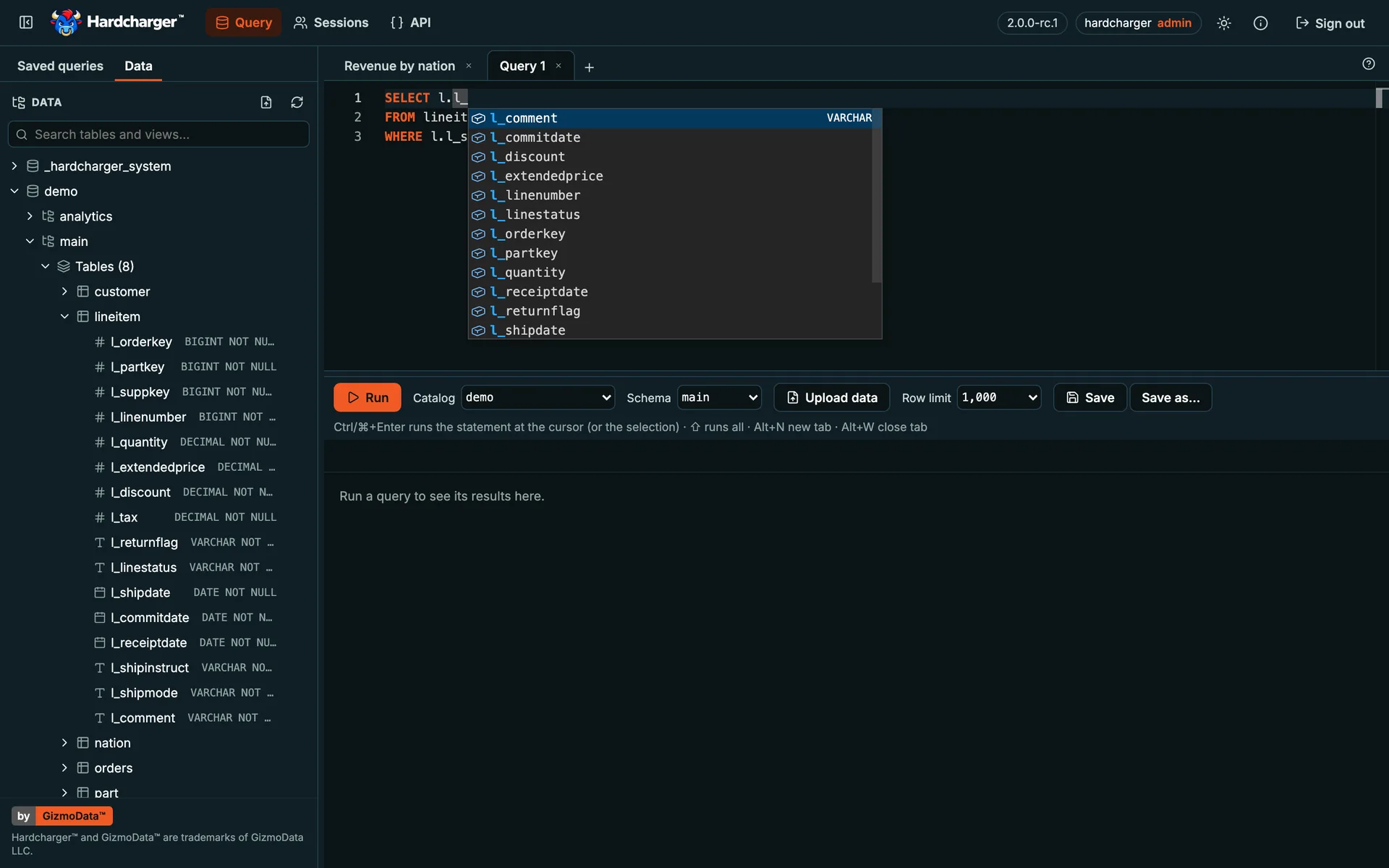
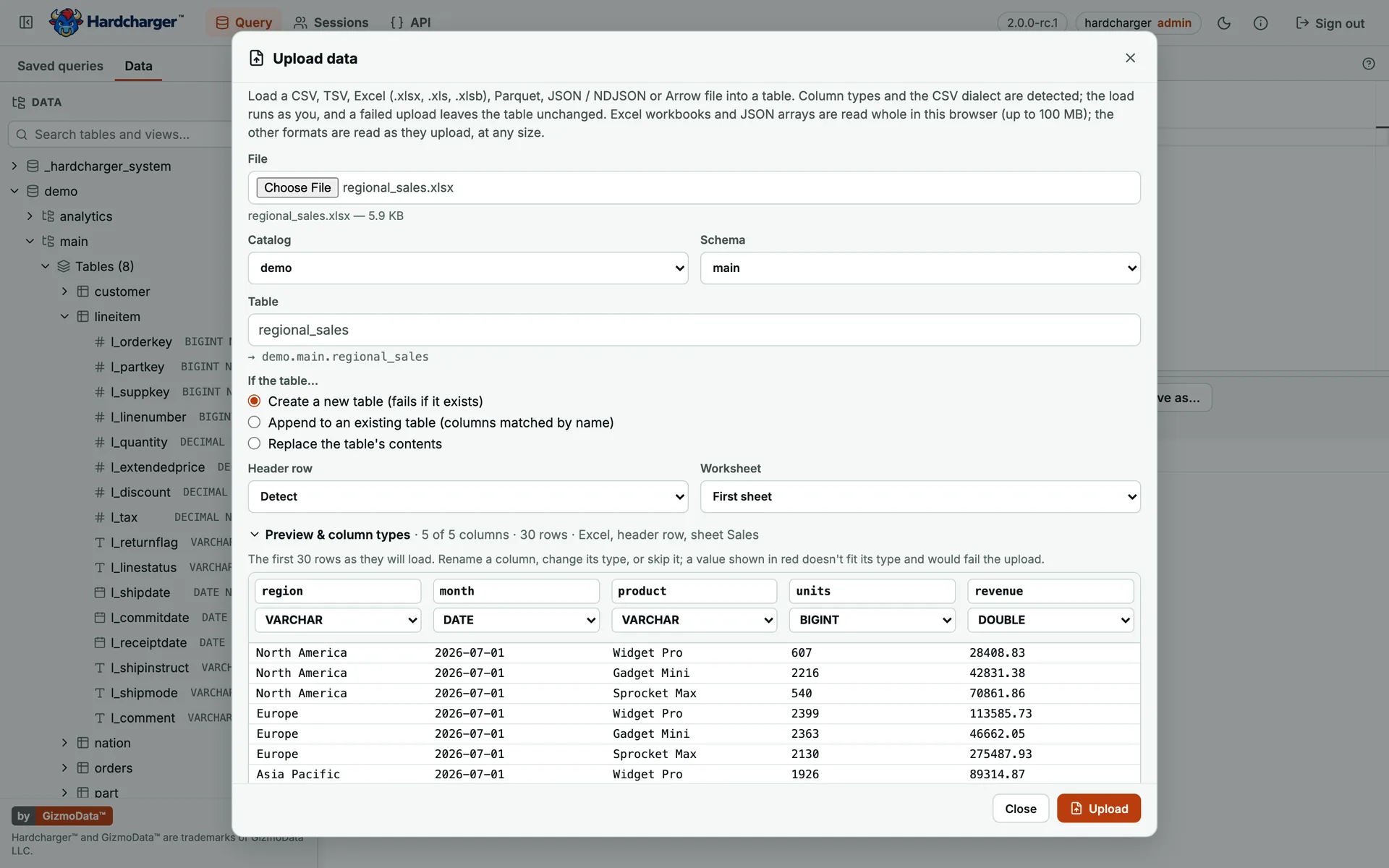
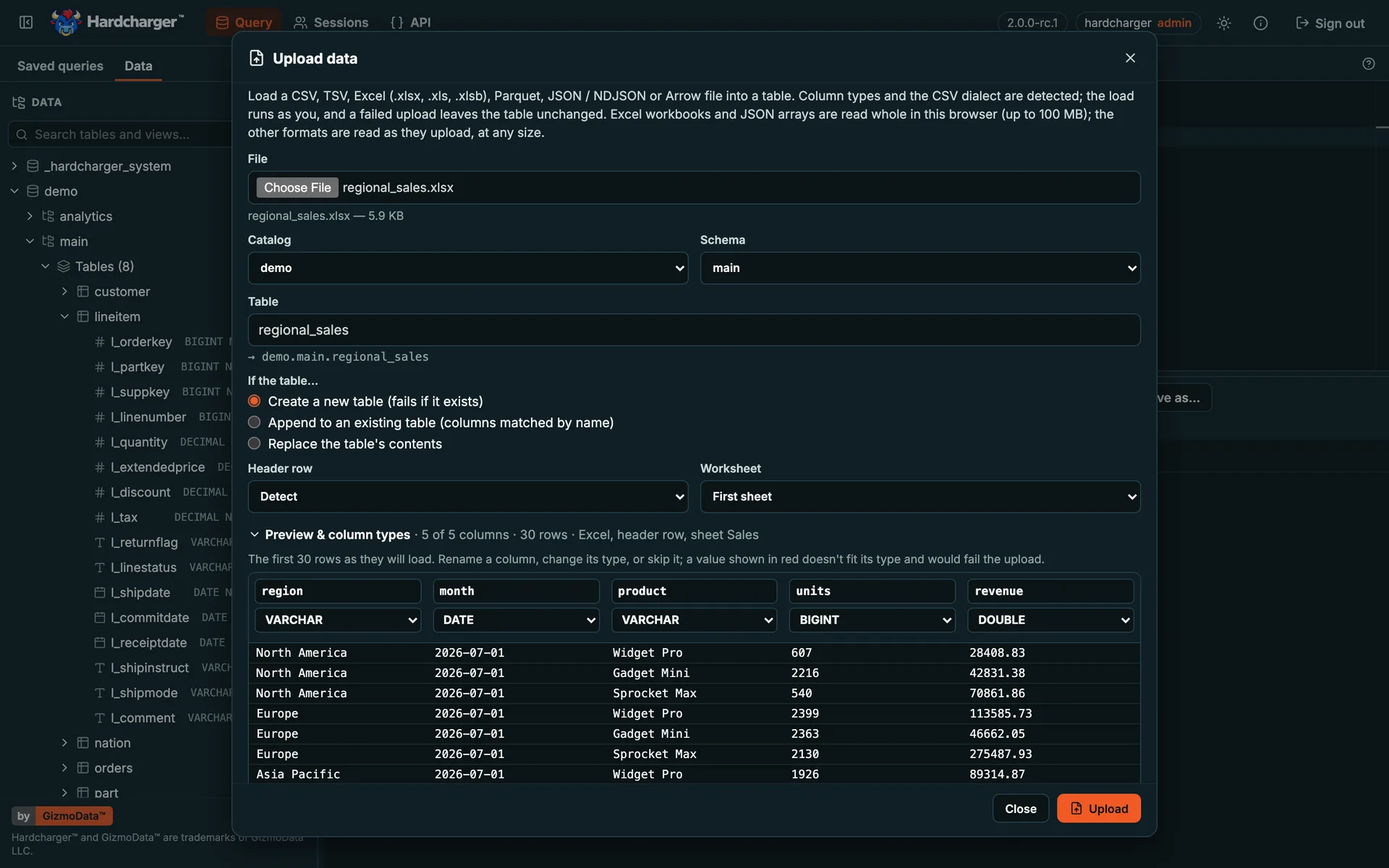
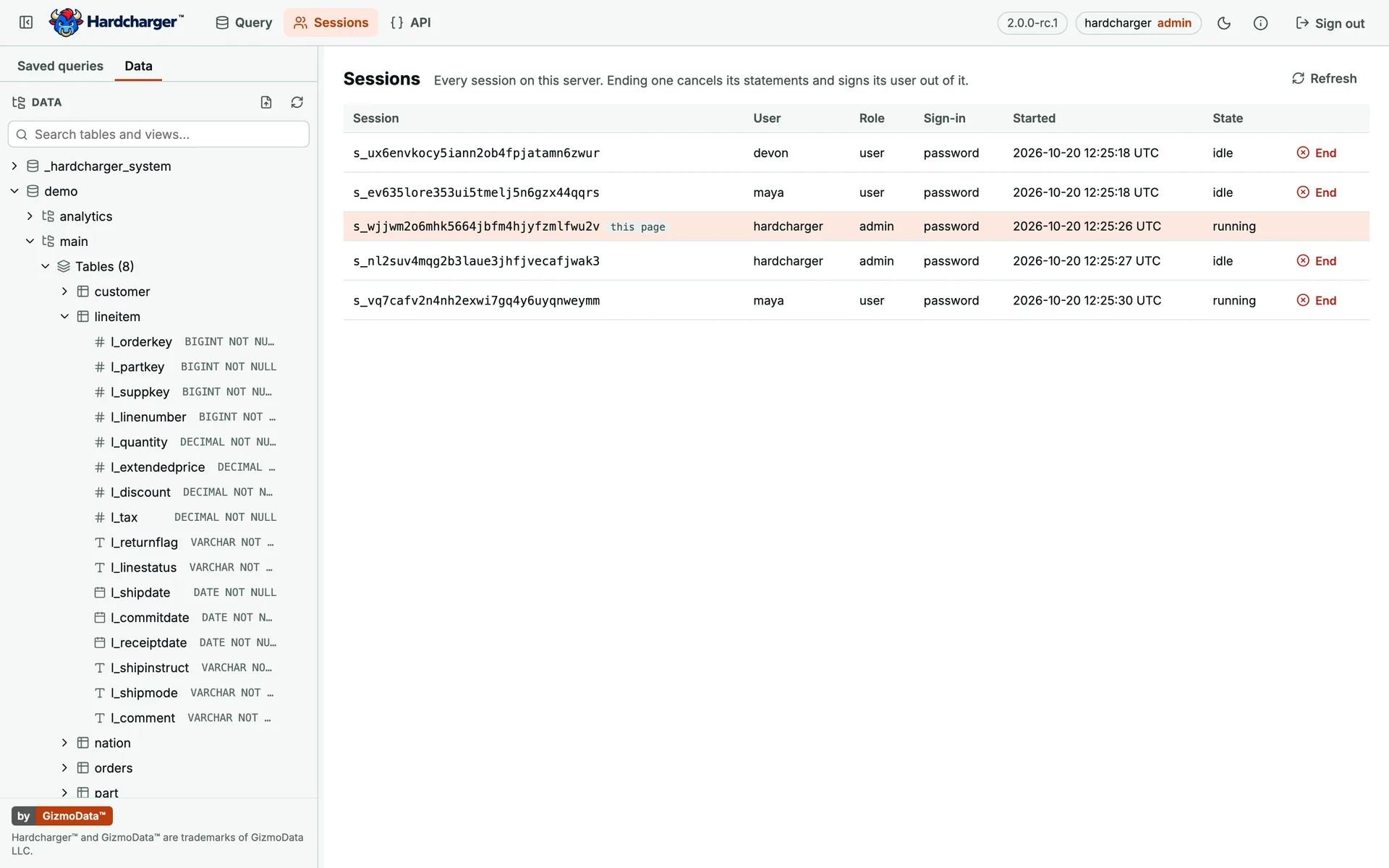
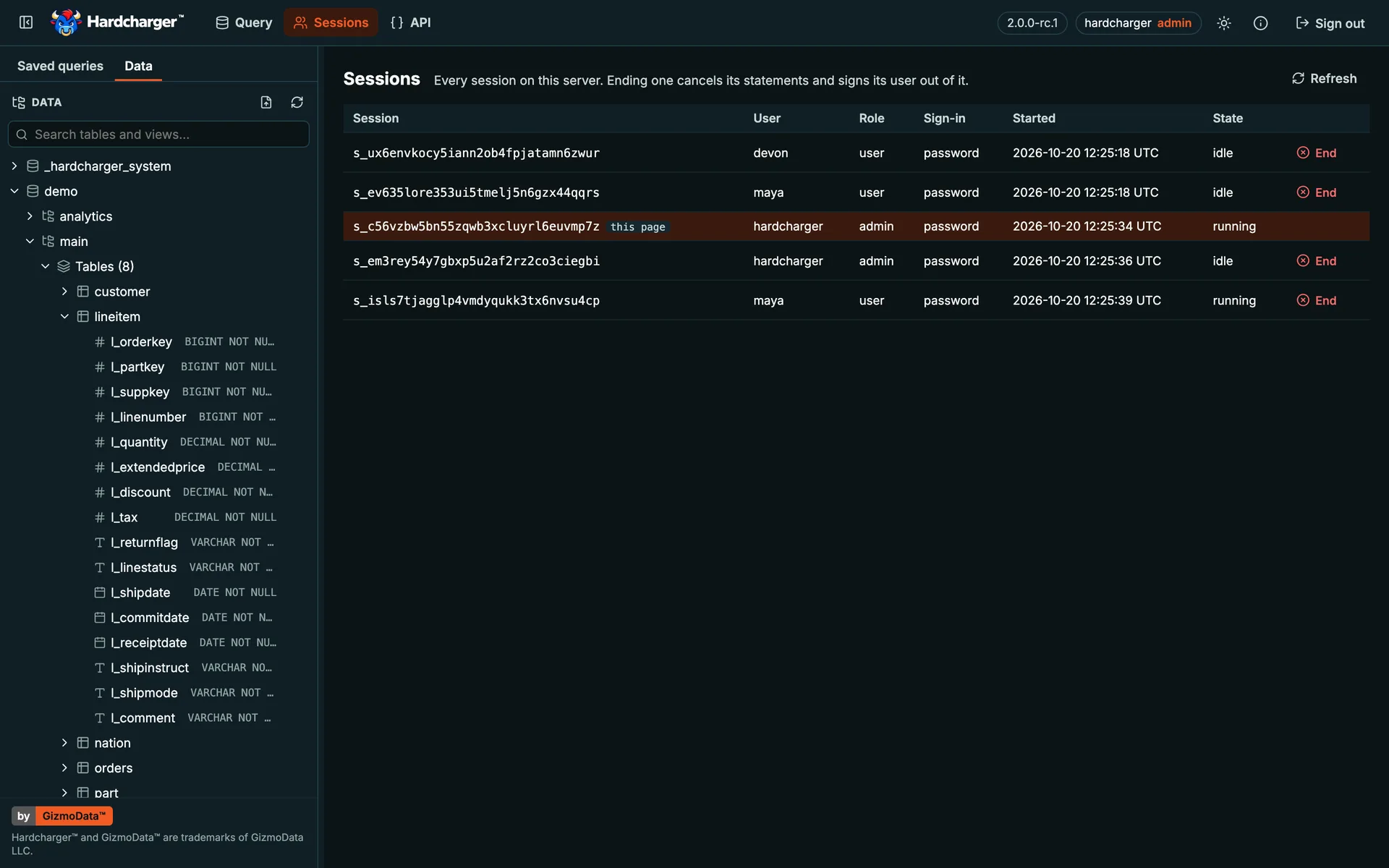
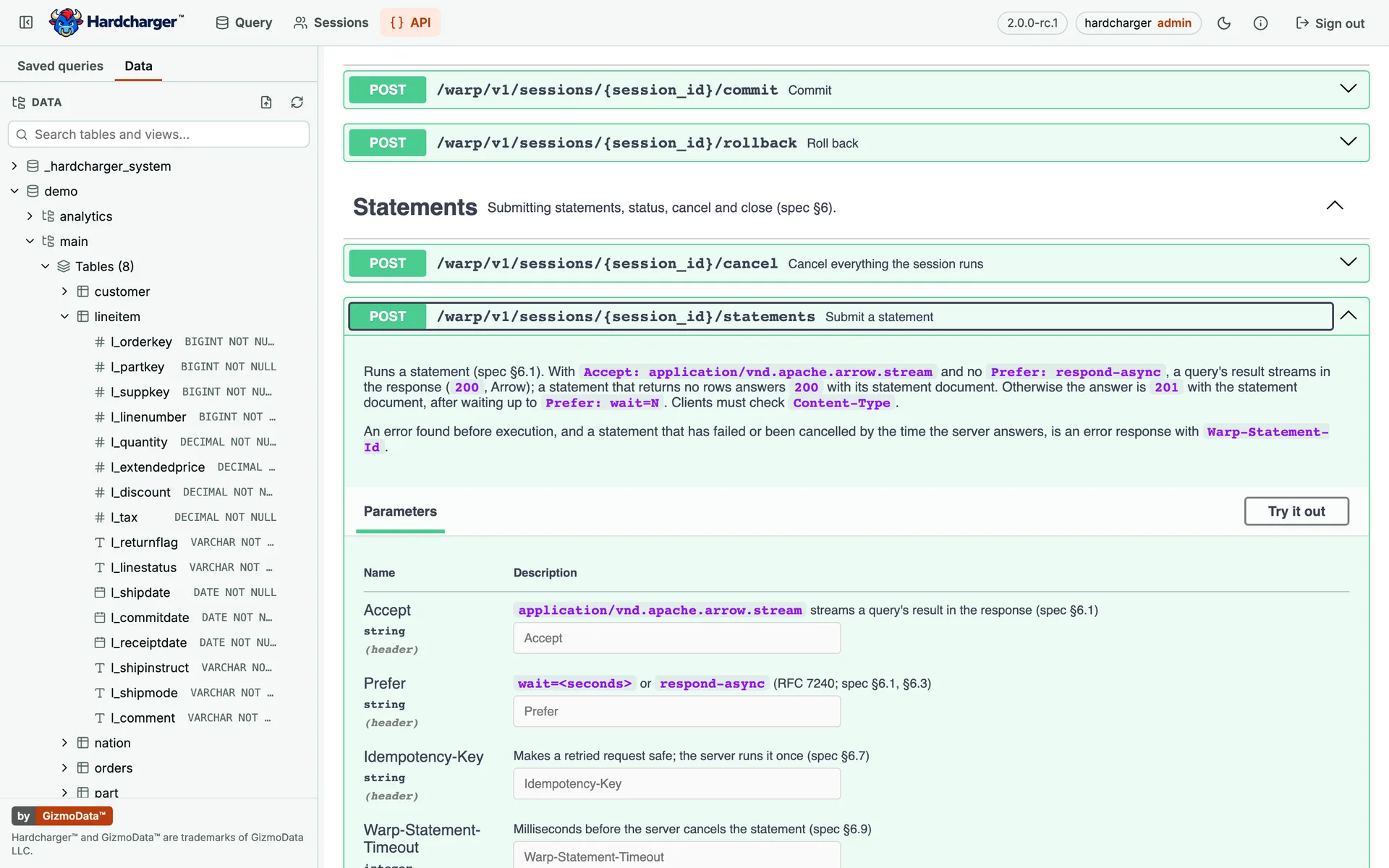
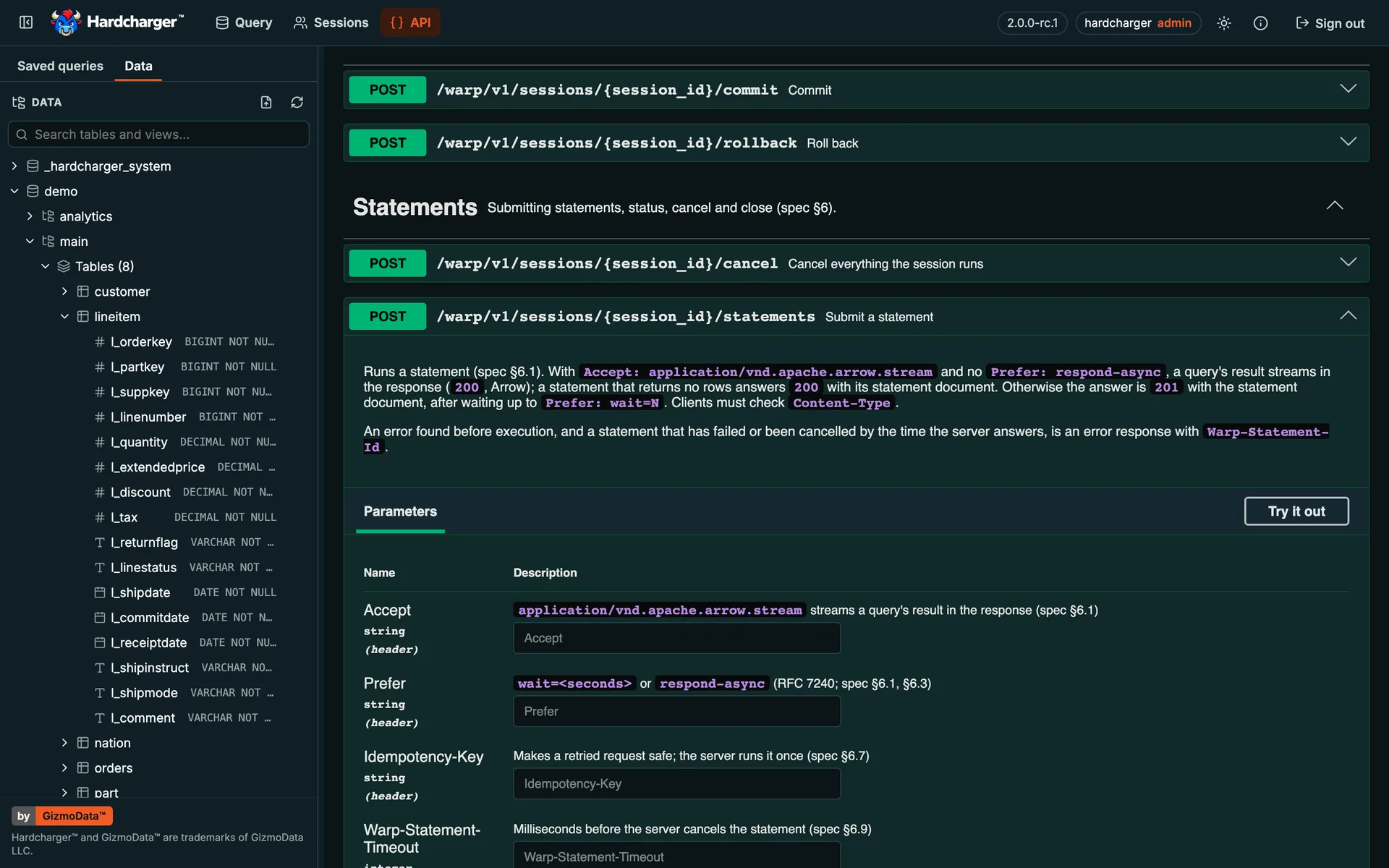
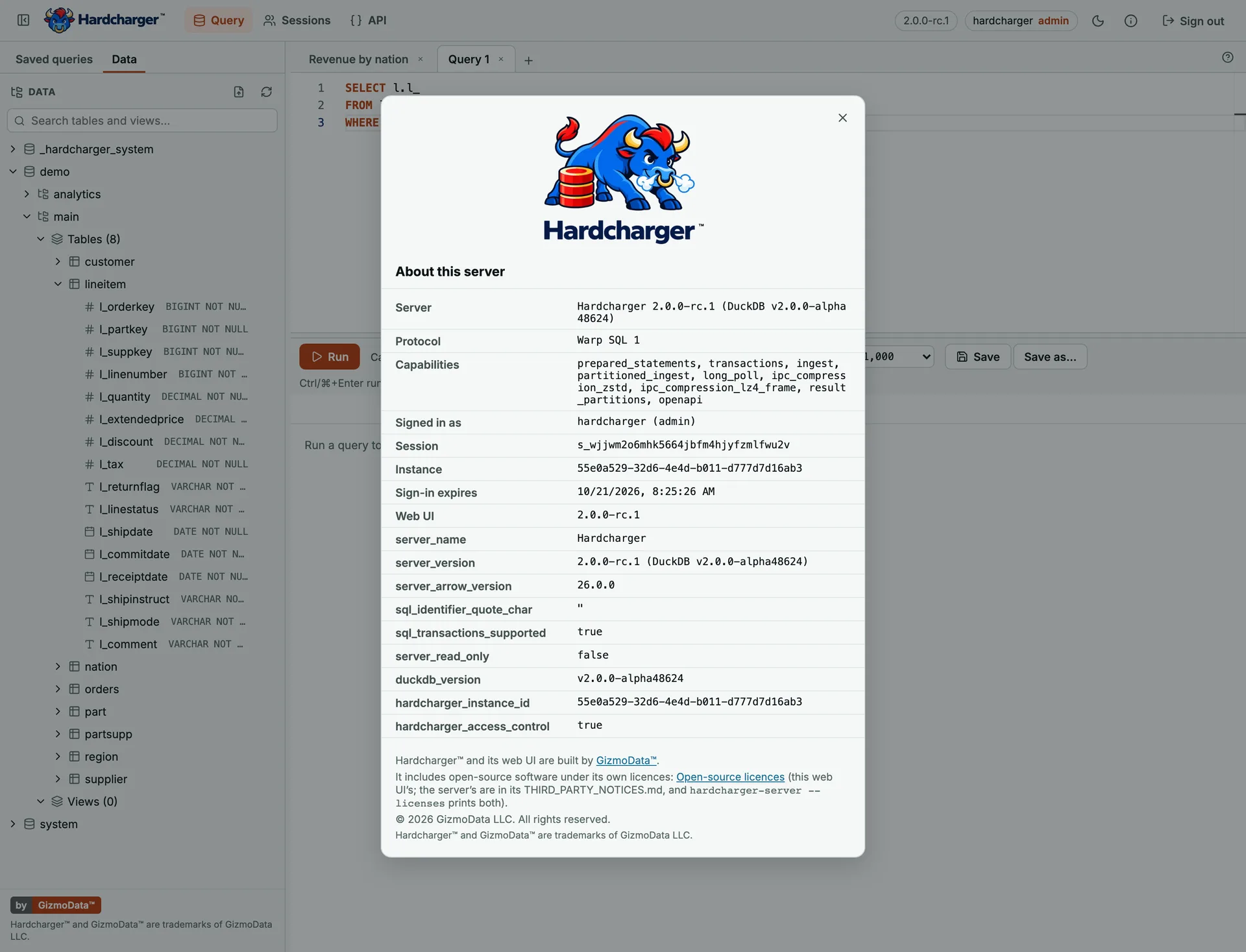
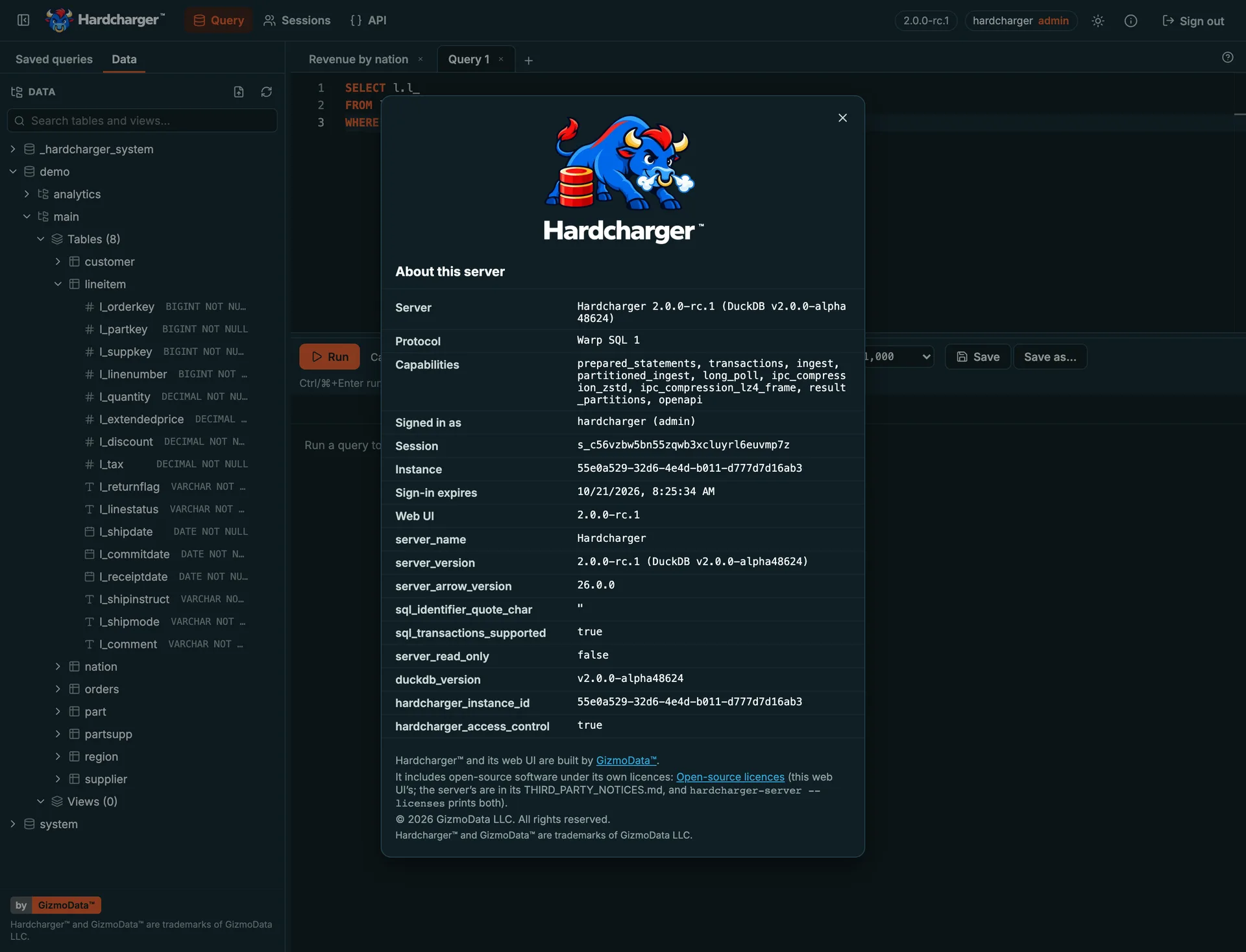
- SQL editor with up to 20 tabs, each its own session: run the statement at the cursor, a selection, or the whole script
- Results grid for up to a million rows: sort, filter, spreadsheet-style selection, and a copy that pastes into Excel or Google Sheets
- Schema browser and autocomplete that show each user only what their roles allow
- Upload data: CSV, TSV, Excel, Parquet, JSON or Arrow into a new or existing table, with a preview and column types you can change
- Downloads as CSV, TSV, JSON or Excel, or the whole typed result as Parquet or Arrow
- Saved queries in folders, Run as one of your roles, and transactions with Commit and Rollback
- API page: the server’s own Warp SQL API in Swagger UI, signed in as you
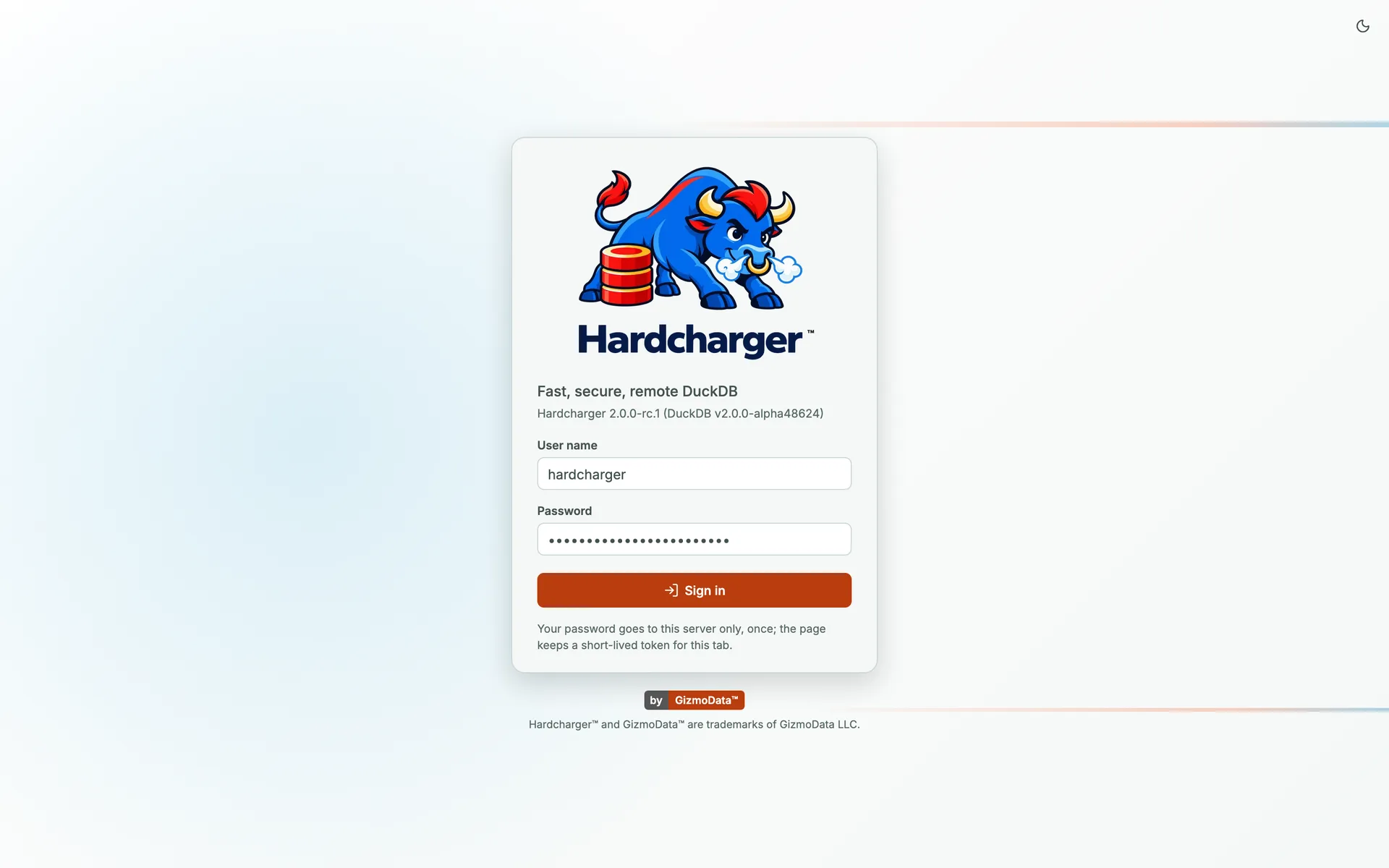
- Sign in with your identity provider, or with your client certificate under mutual TLS
Hardcharger vs GizmoSQL vs DuckDB Quack
Quack is DuckDB Labs’ own remote protocol: if every client is a DuckDB you trust, it is the easy choice. Hardcharger is built for a shared server reached through drivers. Here is what each offers today.
| Hardcharger™ | GizmoSQL 1.x | DuckDB Quack | |
|---|---|---|---|
| Protocol | Warp SQL 1.0: an open, versioned spec (Apache-2.0) with an OpenAPI 3.1 description and a 282-test conformance suite | Apache Arrow Flight SQL | Quack, a DuckDB extension’s protocol (version 3 in DuckDB 2.0); DuckDB’s docs say it may still change |
| Transport | Plain HTTP/1.1 + TLS; results, parameters and uploads as Arrow IPC streams | gRPC over HTTP/2, with Arrow record batches | HTTP; results in DuckDB’s own format, not Arrow |
| Engine | DuckDB 2.0, in a standalone server on DuckDB’s v2 C API | DuckDB 1.5 (stable), 1.4 (LTS) or a DuckDB 2.0 pre-release (edge); or SQLite | Any DuckDB process that runs CALL quack_serve(...) |
| Clients and drivers | ADBC (Python, Go; C/C++, R, Rust through a driver manager), JDBC, JavaScript, and any HTTP client such as curl | ADBC, JDBC, ODBC and Flight SQL clients | PartialDuckDB itself: the CLI or a DuckDB library with the extension loaded |
| Browsers | Plain fetch, with the @gizmodata/hardcharger client (allowed origins via --cors-origins) | Through DuckDB-Wasm | |
| Sign-in and transport security | Passwords and tokens, SSO (OIDC/JWKS) with browser sign-in, TLS and mTLS with the client certificate as identity; bearer tokens, never cookies | TLS / mTLS and JWT auth; SSO / OAuth in Enterprise | PartialOne shared token by default, or your own SQL function; TLS; no client certificates |
| Access control | Users, roles and grants checked against each statement’s plan; row policies, column masking, tenants, Open Policy Agent | PartialPer-catalog read / write / none per user (Enterprise) | PartialA hook that sees each statement’s text; DuckDB has no roles or grants |
| Audit | Tamper-evident audit log; grants queryable as SQL views | Session instrumentation and auditing (Enterprise) | |
| Web UI | Built into the server (--web-ui): SQL editor, results grid, schema browser, sessions, API page | GizmoSQL UI, a separate browser-based SQL client | |
| Upload files | From the web UI: CSV, TSV, Excel, Parquet, JSON or Arrow, previewed and typed in the browser | ||
| Bind parameters | Positional and named, sent to the server as values | Parameterised statements | SQL text only |
| Bulk ingest | Streaming Arrow, split over parallel connections, lz4 or zstd, committed all or nothing | ADBC bulk ingest (Flight SQL DoPut) | Through an attached database |
| Result resumption | A dropped download resumes from the batch where it stopped; results are kept for an hour by default | ||
| Partitioned results | A large result is read over several connections at once, in order when the query has one | ||
| Instrumentation | Session and statement history in DuckDB or PostgreSQL, Prometheus /metrics, query profiles, live session functions | Session instrumentation, query profiling and Prometheus metrics (Enterprise) | PartialDuckDB’s log and quack_active_connections(); no metrics endpoint |
| License | Apache-2.0, every feature included, no license keys | Core Apache-2.0; Enterprise features licensed per vCPU | MIT |
| Performance (our measurements) | A 1 TB workload derived from TPC-H in 42.4 s on one machine (2.0.0). Faster than Quack in 5 of 9 remote fetch and load tests, 3.9× on a 46 ms WAN fetch | The same workload derived from TPC-H in 77.0 s (1.42.0, DuckDB 1.5.6) on the same machine type | Faster than Hardcharger in 4 of 9 remote tests (large LAN fetches and loads), by 1% to 16% |
Quack facts were checked on running servers with Quack e7a9be3f8c (the commit DuckDB 2.0 pins) and against DuckDB’s Quack documentation; Quack is an experimental extension and may change. GizmoSQL facts are from its own pages on this site. A dash means we have no verified source for that cell. Performance rows are our own measurements; see performance and the Warp SQL benchmarks.
Connect from anything
Native drivers for Python, Go, Java and JavaScript, a command-line client, and plain HTTP. A hardcharger://host URI is HTTPS on port 31337; ?tls=false is plain HTTP for local development.
1# pip install adbc-driver-hardcharger
2from adbc_driver_hardcharger import dbapi as hardcharger
3
4with hardcharger.connect(uri="hardcharger://localhost?tls=false", username="hardcharger", password="change-me") as conn:
5    with conn.cursor() as cur:
6        cur.execute(operation="SELECT 42 AS answer, ? AS greeting", parameters=["hello"])
7 print(cur.fetch_arrow_table())Running in a minute
Install with one line, start the server with the web UI, and connect.
curl https://install.hardcharger.gizmodata.com | shirm https://install.hardcharger.gizmodata.com/install.ps1 | iexHARDCHARGER_ADMIN_PASSWORD='change-me' hardcharger-server --web-ui --database demo.duckdb
# open http://localhost:31337/ui and sign in as hardcharger / change-me
HARDCHARGER_PASSWORD='change-me' hardcharger --host localhost --tls=false --username hardcharger \
--command "SELECT 42 AS answer"One-line installer
macOS, Linux and Windows, with side-by-side versions, pinning (release candidates too) and checksum verification.
Install HardchargerSigned and notarized
macOS binaries are signed with GizmoData’s Developer ID and notarized by Apple; Windows executables and MSIs are EV code-signed (Authenticode). Every release ships SHA256SUMS.
Docker images
Multi-architecture (amd64, arm64) images on GitHub Container Registry and Docker Hub.
Python, too
pip install hardcharger runs a real server from Python (for tests and notebooks); adbc-driver-hardcharger is the client.
Docker
docker run --rm -p 31337:31337 -p 31338:31338 \
  -e HARDCHARGER_ADMIN_PASSWORD='change-me' \
  ghcr.io/gizmodata/hardcharger:latest
Coming from GizmoSQL
Hardcharger is GizmoSQL rebuilt from scratch for DuckDB 2.0, and it passes GizmoSQL’s test battery over Warp SQL alone. GizmoSQL 1.x is now in maintenance. Hardcharger takes only its own names (HARDCHARGER_* variables, hardcharger_* SQL functions), and the migration guide maps every GizmoSQL option, variable, function and client flag to its new name.
Open source, all of it
Hardcharger, the Warp SQL specification and its conformance suite, and the drivers are Apache-2.0. Every binary carries THIRD_PARTY_NOTICES.md, the licence of every component it links, and hardcharger-server --licenses prints it. Chat with the team in the GizmoData Community Slack, and report issues on GitHub.
Hardcharger for iPhone and iPad
Hardcharger for iPhone and iPad runs the Hardcharger server on the device itself, with its web UI and a native SQL console, and connects to Hardcharger servers anywhere else.
What is Hardcharger?
Hardcharger is GizmoData’s open-source analytics server: DuckDB 2.0 on the network. Clients connect over Warp SQL, an open HTTP protocol that streams Apache Arrow results, through ADBC (Python, Go), JDBC, JavaScript or plain HTTP. It is the successor to GizmoSQL, rebuilt from scratch for DuckDB 2.0, and every feature is included under Apache-2.0 with no license keys.
How is Hardcharger different from GizmoSQL?
GizmoSQL is a DuckDB server on Apache Arrow Flight SQL (gRPC) with a free Core edition and a paid Enterprise edition. Hardcharger is a new server for DuckDB 2.0 on Warp SQL (plain HTTP and Arrow), with role-based access control, row policies, column masking, a built-in web UI, file upload and every former Enterprise feature included for free. GizmoSQL 1.x is now in maintenance, and the migration guide on docs.hardcharger.gizmodata.com(opens in a new tab) maps every GizmoSQL name to its Hardcharger name.
How is Hardcharger different from DuckDB’s Quack extension?
Quack, from DuckDB Labs, lets one DuckDB serve its databases and another DuckDB attach them over HTTP. If every client is a DuckDB you trust, it is the easy choice. Hardcharger is built for one server that many people and applications share through drivers (ADBC, JDBC, JavaScript, HTTP), with each user’s access governed by the server: users, roles, grants, row policies, masking, mTLS identity, an audit log, a web UI and bind parameters sent to the server.
What is the best way to run Hardcharger?
GizmoData Cloud: launch a managed Hardcharger server in one click on AWS, Google Cloud or Azure, with sign-in, storage and monitoring handled for you. To run it yourself, use the one-line installer, the Docker image, or the binaries for macOS, Linux and Windows.
Is Hardcharger free and open source?
Yes. Hardcharger is licensed under Apache-2.0 and has no editions or license keys: role-based access control, SSO, instrumentation, metrics and the web UI are in every build. The binaries list every third-party component and licence in THIRD_PARTY_NOTICES.md.
How fast is Hardcharger?
On one AWS r9gd.24xlarge (Graviton5), Hardcharger 2.0.0 ran a 1 TB workload derived from TPC-H (its 22 queries at scale factor 1000) in 42.4 seconds, about 9 cents of AWS on-demand compute per run (a cloud cost, not a TPC price/performance metric), against 77.0 seconds for GizmoSQL 1.42.0 on the same machine type. This workload is derived from the TPC-H Benchmark and is not comparable to published TPC-H Benchmark results, as this implementation does not comply with all requirements of the TPC-H Benchmark. Over a network, its Warp SQL drivers fetched a 6-million-row table 11.8 times faster than GizmoSQL over Arrow Flight SQL on a LAN.
Which clients and tools can connect?
Python (adbc-driver-hardcharger), Go and any ADBC driver manager (C/C++, R, Rust), Java and JDBC tools such as DBeaver (hardcharger-jdbc), JavaScript in Node, browsers, Deno, Bun and Cloudflare Workers (@gizmodata/hardcharger), the hardcharger command-line client, dbt, SQLFrame, an MCP server for Claude, and anything that speaks HTTP. See gizmodata.com/hardcharger/integrations.
How do I move from GizmoSQL to Hardcharger?
Install Hardcharger next to GizmoSQL, point it at your DuckDB database, and switch clients to the Hardcharger drivers (hardcharger:// URIs, port 31337 as before). The migration guide on docs.hardcharger.gizmodata.com(opens in a new tab) maps every GizmoSQL option, environment variable, SQL function and client flag to its Hardcharger name.